
A car for every trip

Economy
For every day

Comfort
Newer and roomier

Business
For meetings and big days

Minivan
Up to six passengers with luggage

Delivery
A courier takes your parcel
How a ride works
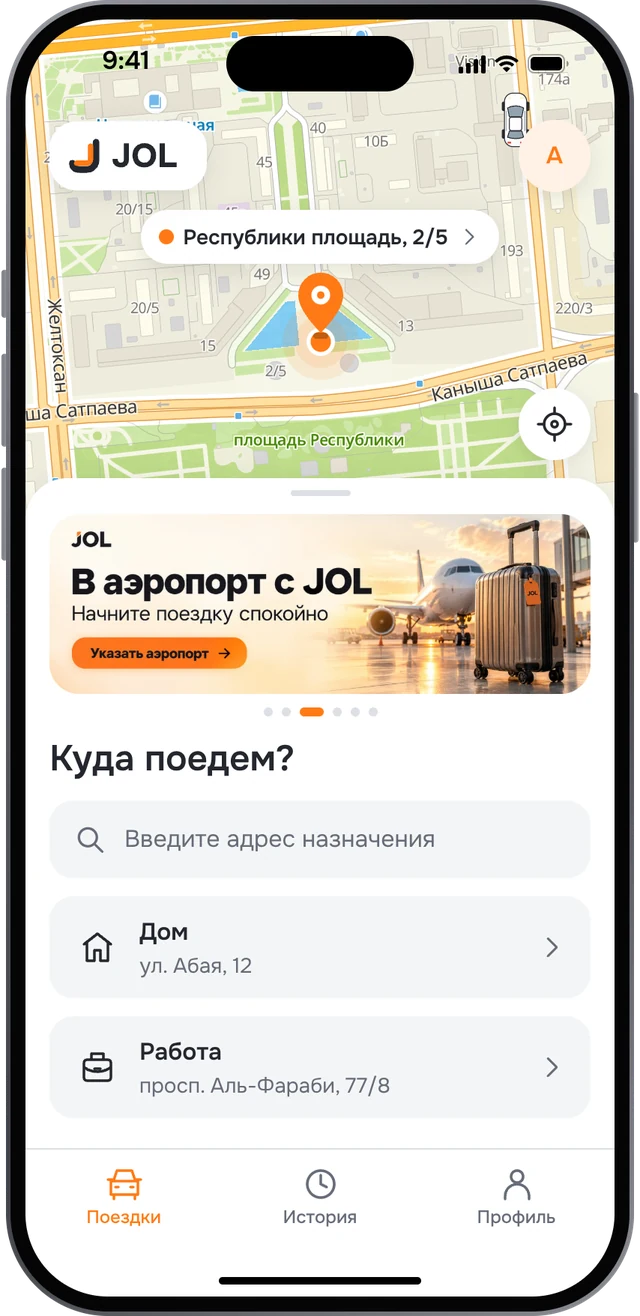
Say where you’re going
Find the address by name or on the map, and fine-tune the pickup point.
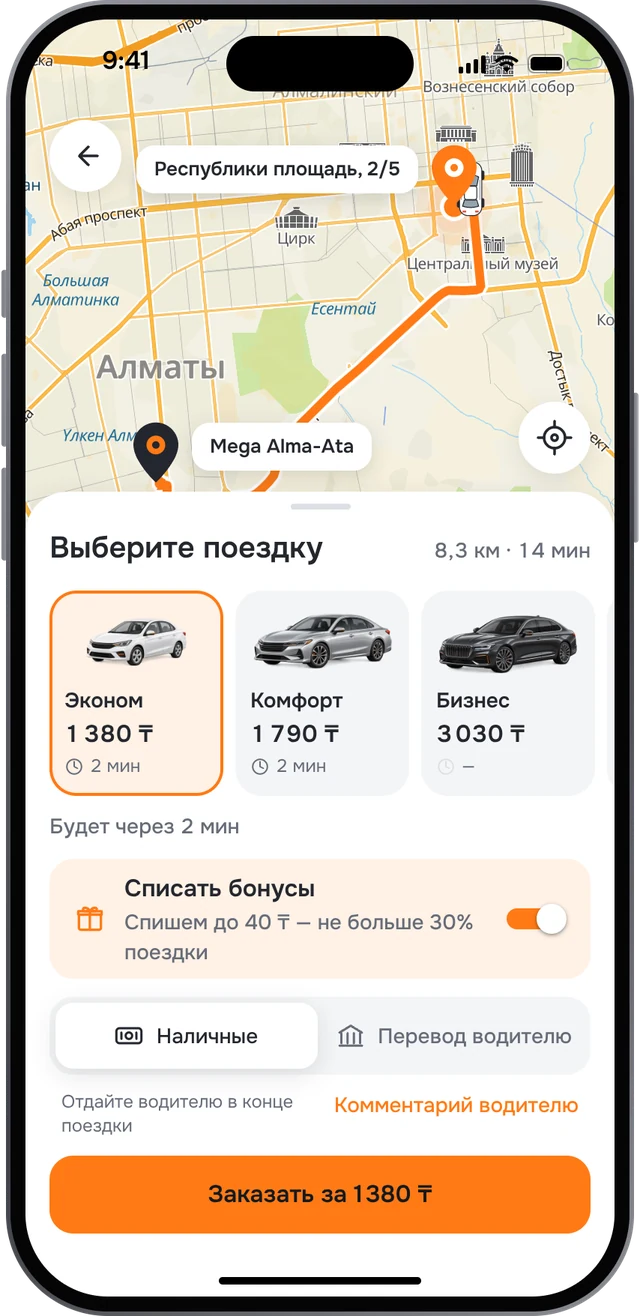
Pick a tariff
The price shows up front. The only extra is paid waiting, if the driver waits beyond the free minutes.
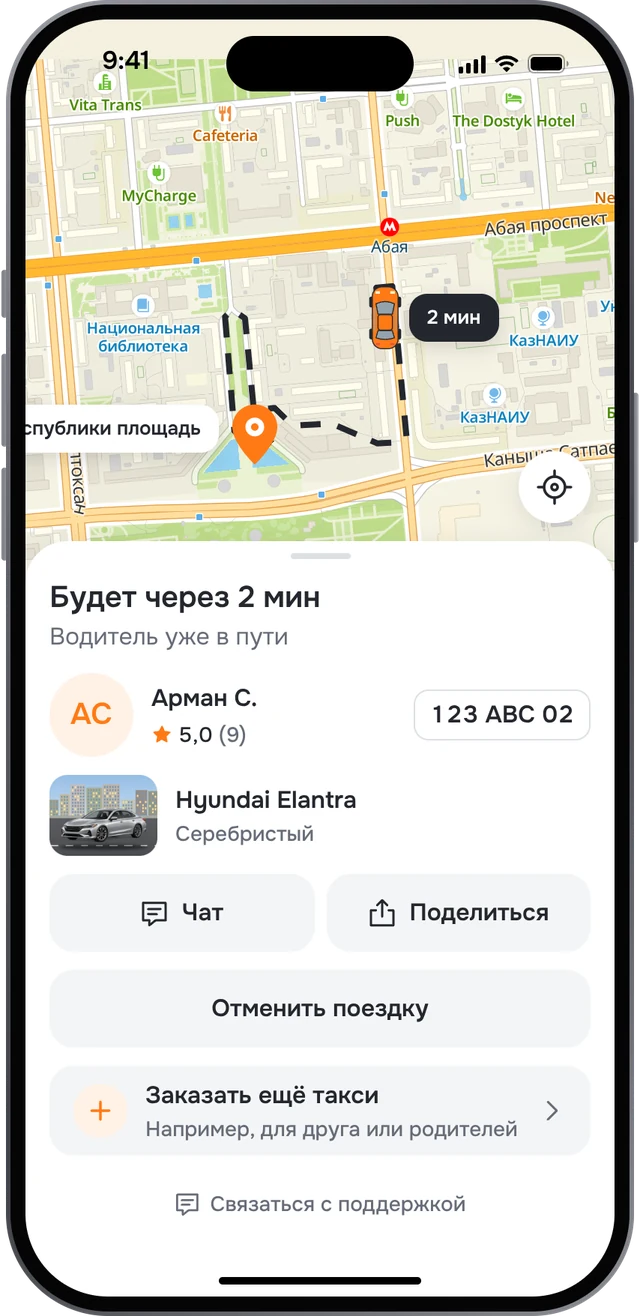
Meet your car
The driver’s name and rating, the plate and a photo of the actual car. Watch it drive up on the map.
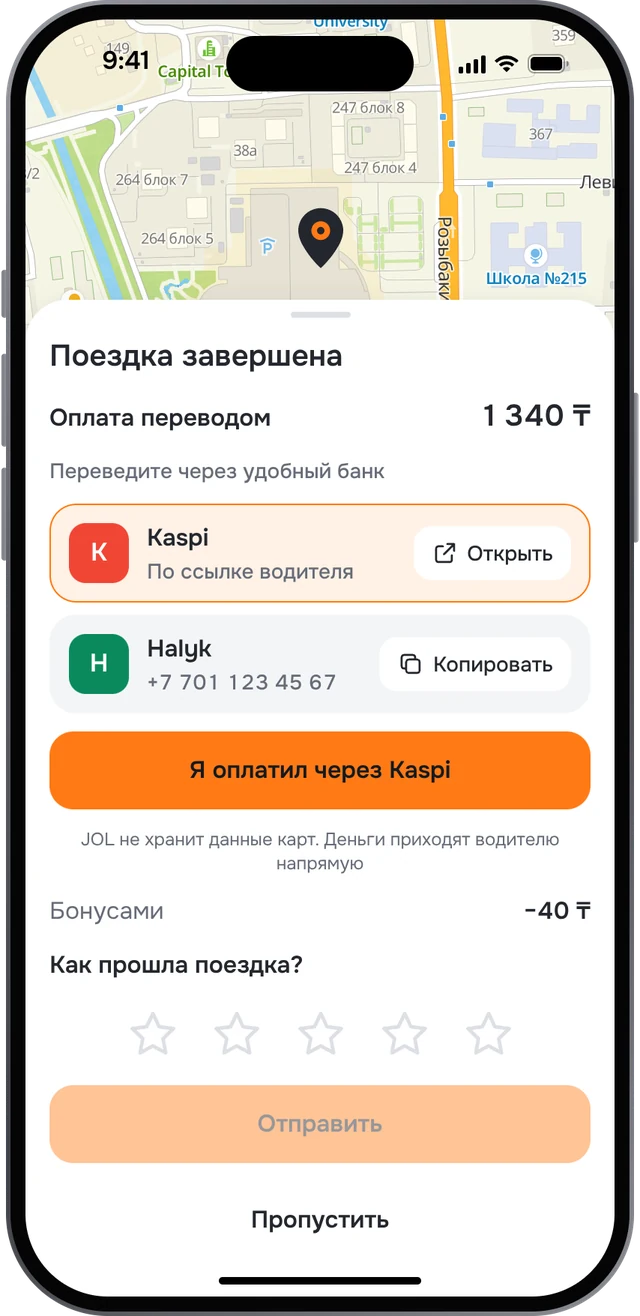
Pay the driver
In cash or by transfer to Kaspi, Halyk and other banks. The money goes to the driver; JOL keeps no card details.
Peace of mind on the road
Cars checked by photo
Drivers photograph their car from six angles with the phone camera, and we check the shots and repeat the check over time. The car in the app is the car that comes.
Your people can follow along
Send a link with the car on the map, its plate and arrival time. It stops working shortly after the ride.
Support in the app
Message us during or after a ride. In an emergency, there’s a button to call 112.
Ratings after every ride
Passengers rate drivers and drivers rate passengers.
- Front
- Back
- Left side
- Right side
- Front seats
- Back seats
Better with every ride
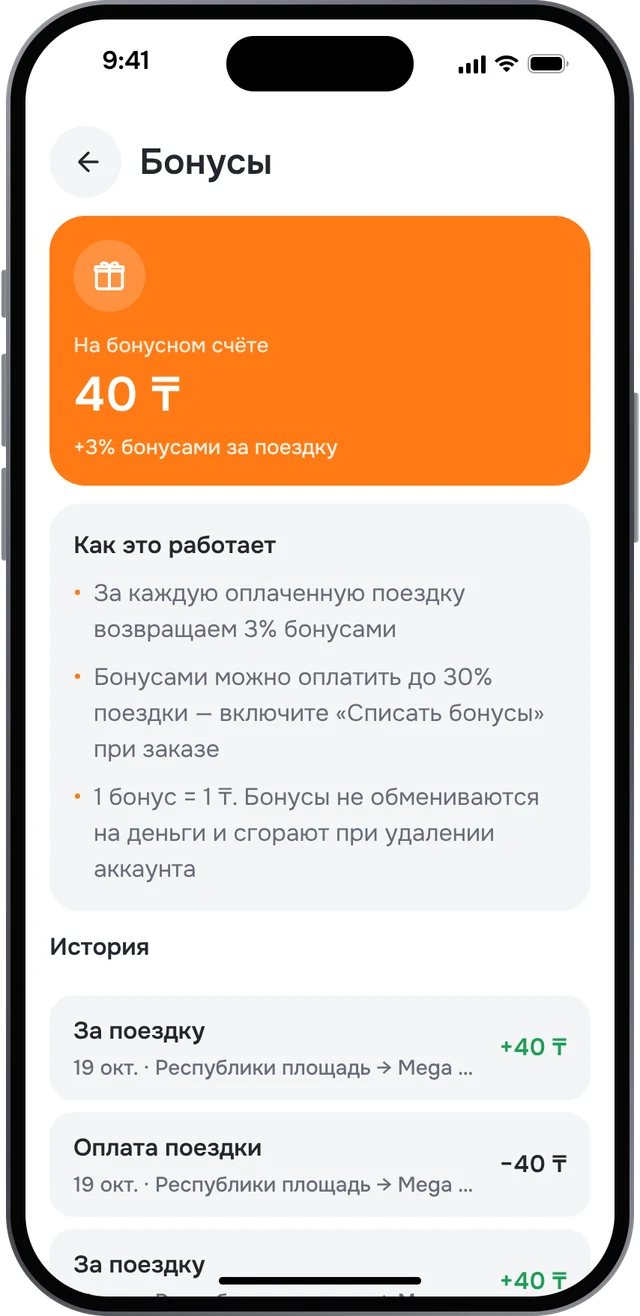
Bonuses
3% of every ride comes back to your bonus account, and you can pay up to 30% of later rides with it.
Several orders
Book a car for yourself and one for your parents — up to three rides at once.
Delivery
A courier picks up your parcel and calls the recipient.
Drive with JOL
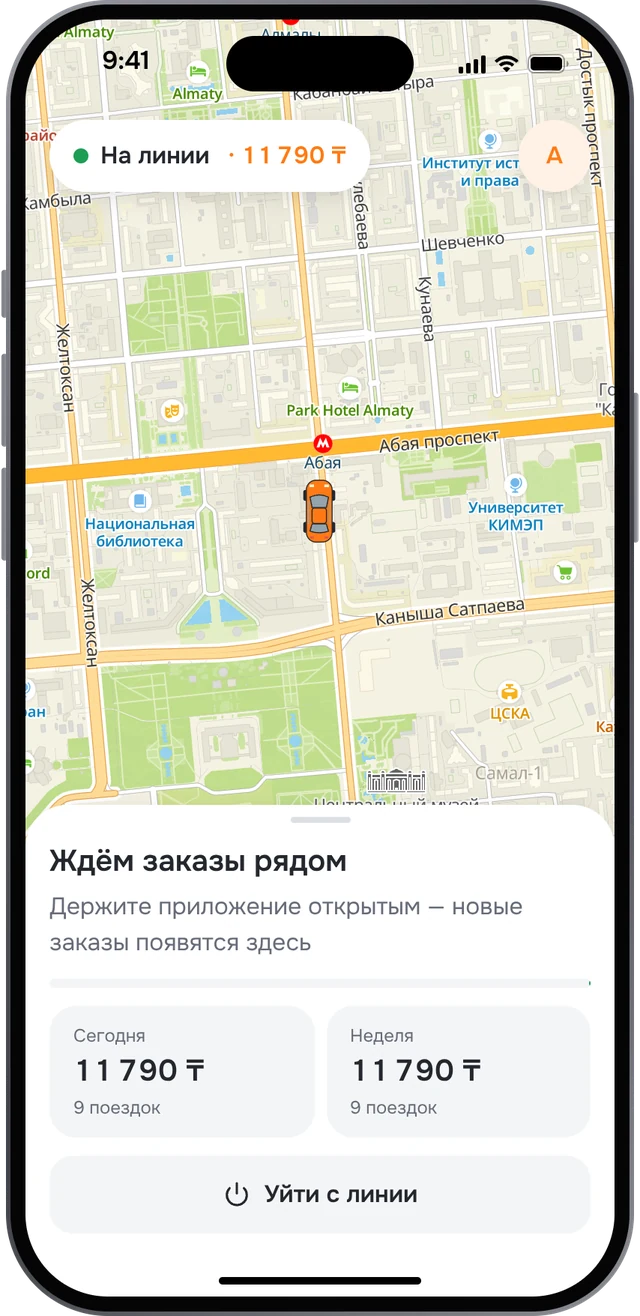
Your own schedule and orders nearby. Go online whenever it suits you.
Paid on the spot
Passengers pay you in cash or by transfer to your Kaspi, Halyk or other bank.
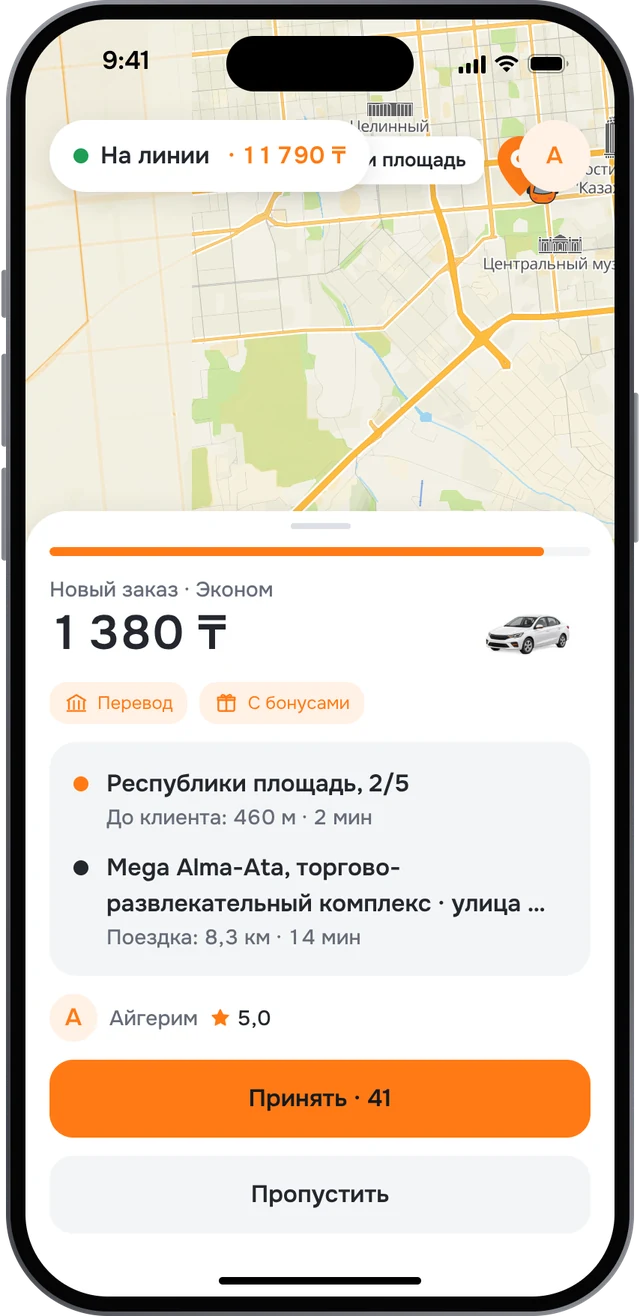
See the whole order first
Price, pickup, destination and the distance to the passenger before you accept.
Passenger bonuses aren’t on you
If a passenger covers part of a fare with bonuses, JOL pays you that amount.
How to start
- Sign in to JOL Driver
- Fill in the application and photograph your licence and registration
- Photograph your car — six shots in a couple of minutes
- Wait for approval and go online
Where JOL works
Kazakhstan
Almaty, Astana, Shymkent, Karaganda, Aktobe, Taraz, Pavlodar, Oskemen, Semey, Atyrau, Kostanay, Kyzylorda, Aktau, Oral, Petropavl, Turkistan
Uzbekistan
Tashkent, Samarkand, Bukhara
Kyrgyzstan
Bishkek, Osh
Questions
How do I pay?
In cash or by transfer to the driver. After the ride the app shows the driver’s details: open Kaspi with a link or copy the number.
How is the price worked out?
By your city’s tariff: a base fare plus distance and time. You see the final price before you order.
Can I order a taxi for someone else?
Yes. You can hold up to three orders at once and share a ride link to follow the car.
How do I become a driver?
Open JOL Driver, fill in the application and photograph your documents and car. Review usually takes up to a day.
How do I delete my account?
In the app: Profile, then Delete account. Without the app, use the account deletion page.
Who do I contact if something goes wrong?
Message support in the app or email support@jolapp.asia.